video
16 Topics
Super Cruise Steering Wheel Light Bar Indicators
Enjoy hands-free driving on select Chevrolet, Buick, GMC and Cadillac vehicles with available Super Cruise driver assistance technology, connected by OnStar. Watch the video to learn about the steering wheel light bar indicators and system alerts that keep you informed about your system's status when Super Cruise is engaged. Solid Green Light Bar: Super Cruise is active. You can let go of the wheel. Pulsing Blue Light Bar: Super Cruise is active, but detects you are manually steering. Center the vehicle in lane to engage Super Cruise. Flashing Green Light Bar (1st alert): They system detects you need to pay attention to the road. Flashing Red Light Bar (2nd alert): Take steering control immediately and you will hear a beeping sound or feel the seat vibrate. Super Cruise disengages and vehicle will coast until you take steering control. Flashing Red Light Bar (3rd alert): Take steering control immediately. You will hear a beeping sound or feel the seat vibrate. You will hear a voice prompt. If you don't take control your vehicle will steer and brake to a stop in its lane. The hazard warnings flashers will come on and your vehicle will initiate a call with an OnStar Emergency Advisor. Super Cruise driver assist technology is available with select Chevrolet, GMC, Cadillac and Buick vehicles. Learn more about Super Cruise here 590Views0likes0Comments
Super Cruise Driver Assist Technology in 3 Steps
Enjoy hands-free driving for vehicles with Super Cruise. Watch the video to get started in 3 easy steps. Step 1: Make sure Adaptive Cruise Control is enabled. Step 2: On a compatible road, centered in your lane, press the Super Cruise button when the white steering wheel icon appears. Step 3: When the light bar turns green, let go of the wheel. Super Cruise driver assist technology is available with select Chevrolet, GMC, Cadillac and Buick vehicles. Learn more about Super Cruise here: https://www.onstar.com/services/super-cruise-hands-free-driving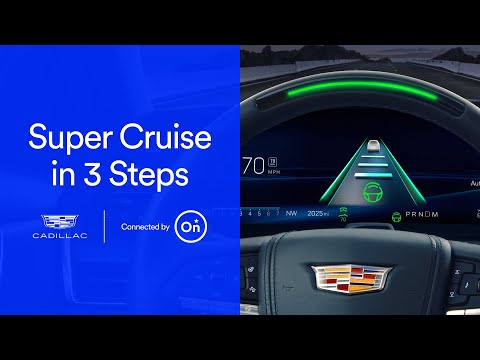 502Views0likes0Comments
OnStar Guardian app: Mobile Crash Response
Learn how OnStar® safety services can help when the unexpected happens. With the OnStar Guardian® app, you’ll have Mobile Crash Response, which can recognize the shock caused by most crashes and alert a specially trained Advisor who can get you the help you need. Learn more about the OnStar Guardian app here: https://www.onstar.com/plans/guardian-app 146Views0likes0Comments
OnStar Guardian app: Emergency Services
Learn how to access Emergency Services in the OnStar Guardian® app. When the unexpected happens, specially trained Advisors can provide medical instructions, contact First Responders and stay on the line with you until help arrives. Learn more about the OnStar Guardian app here: https://www.onstar.com/plans/guardian-app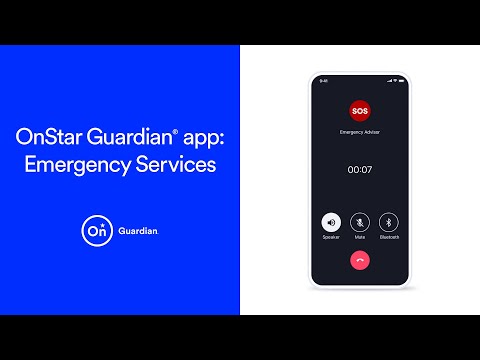 252Views0likes0Comments
OnStar Guardian app: Location Services
See how Location Services in the OnStar Guardian® app can help you stay connected with loved ones. Learn how to share your location, view your “My Family” group on a live map and get location notifications. Learn more about the OnStar Guardian app here: https://www.onstar.com/plans/guardian-app 638Views0likes0Comments
OnStar Guardian app: Adding family and friends
Learn how to add loved ones to your OnStar Guardian family. Once you've downloaded the app, you can start sharing safety services. Stay connected with loved ones by sharing locations, provide access to Emergency Services and more. Learn more about the OnStar Guardian app here: https://www.onstar.com/plans/guardian-app 291Views0likes0Comments
OnStar Guardian app: Overview
Take a look at the full suite of safety services the OnStar Guardian® app has to offer. Once you download the app, you can stay connected to loved ones, access Emergency Services and get a tow, tire change and more – whenever you need it. Plus, specially trained Advisors are available 24/7. Learn more about the OnStar Guardian app here: https://www.onstar.com/plans/guardian-app 527Views0likes0Comments
Three Ways to Wake Alexa | Quick Tips
Did you know there are three ways activate Alexa voice control in your vehicle? You can tap the Alexa icon on your center display, say the wake word “Alexa” or press the PUSH-TO-TALK button on your steering wheel. Alexa Built-in is available on select Chevrolet, Buick, GMC and Cadillac vehicles. 202Views0likes0Comments